Here is where I am so far on my alien toy model. Still blocking out the basic mesh to take into mudbox.
Thursday, April 19, 2012
Dinosaur tutorial.
Well I ran through a Digitaltutors tutorial on mudbox. Its a pretty fascinating program. My favorite things seem to be the painting and stencil tools. It makes it so easy to slap on textures that increase the realism of a model.
Here I have just done some basic 2 minute sculpting in the face. He looks very suspicious.
And then its so easy to throw on a stencil and add a great texture which adds so much to the realism in such a short amount of time. I added another stencil on the neck lips and snout.
then few paint layers with a stamp and an alpha turned on gives a nice organic look to it. My color choices aren't that natural.
Then I used a vector displacement which is SO cool to put in some ear detail.
Another remarkable feature was the posing tools. This allows you to essentially make a very rudimentary rig and pose your sculpture.
So all in all I'm not sure if I like this better than zbrush or not. I need to do a couple more tutorials of each to learn their advanced features. So far the painting seems better in mudbox, but the sculpting seemed to feel better in zbrush.
Monday, April 16, 2012
In zbrush no one can hear you scream
Because the Alien movies are one of my favorite movie series, and in preparation for the upcoming prequel Prometheus I chose this as my toy to model.
The dog xenomorph from Alien3.
Friday, April 13, 2012
Horse!
Modeling a horse in Maya and Zbrush!
Aaand my final render, including some weird artifacting. I was having some problems with the displacement in zbrush, which I think stemmed from my UVing in Maya.
Wednesday, April 4, 2012
Finished
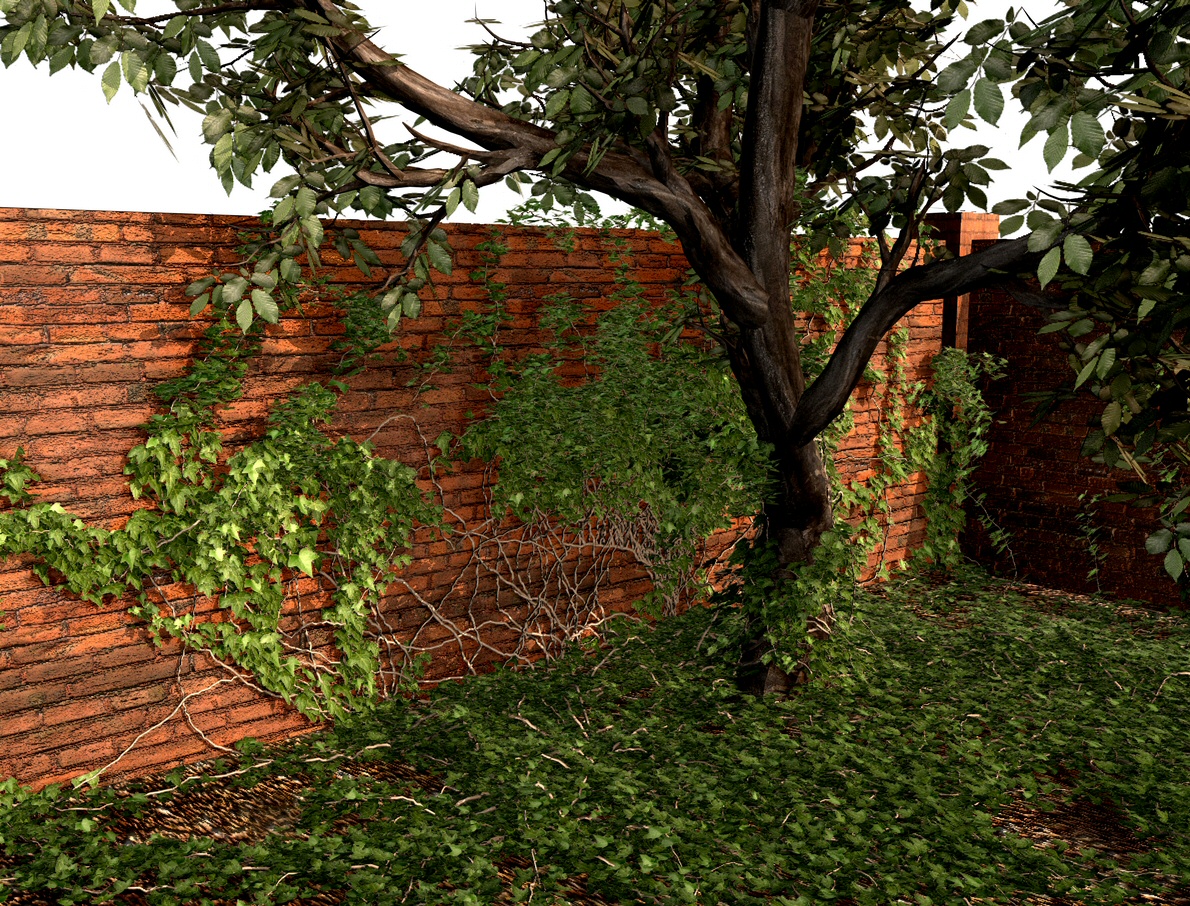
Here are my final renders for my abandoned school project. The things I have learned in Maya thus far: modeling using polygons and nurbs surfaces (haven't yet learned why one would use sub-div surfaces), UV mapping, texturing, creating materials and shader sets, lighting, including real world lighting, HDR image based lighting (not used in this project) and volumetric lighting, aaaand rendering in mental ray. I can't wait to learn more! Oh and btw the tree was modeled in speed tree and brought into maya and the ivy on the tree was made using the ivy generator discussed in my previous post.
Render 1
Render 2 with volumetric lighting (this render is slightly lower quality because volumetric lighting raises the render time by about a factor of 20, so I had to lower some other settings)
Render 1
Tuesday, April 3, 2012
Ivy generator
Just a heads up to everyone. If you are looking for a nice way to make your models look good this is a simple program that generates ivy. Definitely worth checking out. There is a tutorial video at the bottom that walks you through the usage.
Sunday, April 1, 2012
Where have I been??
I know I know, I haven't posted in a long time. So here are some updates on what I have been up to.
UVed my scene and added a default tree from a program at school, who's name I can't recall. The tree looks alright, but I would still like to try something a little better and something I actually make myself, not just a default tree model.
And here is where I am so far. I am also testing out the mia exposure node settings, trying to avoid that washed out look. As you can see the pic below has a bit more contrast. The tree is still out of the scene and the arrangement of all the debris is going to change of course. Oh I also added an image pane outside to give the appearance of another building out there. Still a lot to add and tweak between now and tuesday, but I suppose I am pleased with it so far.
UVed my scene and added a default tree from a program at school, who's name I can't recall. The tree looks alright, but I would still like to try something a little better and something I actually make myself, not just a default tree model.
Next I started toying around with some textures and bump maps. I used some photos from the oc textures photobucket to fill the doorways in the back.
Now I am just adding more textures and tweaking things, trying to make it all look right.
Subscribe to:
Posts (Atom)